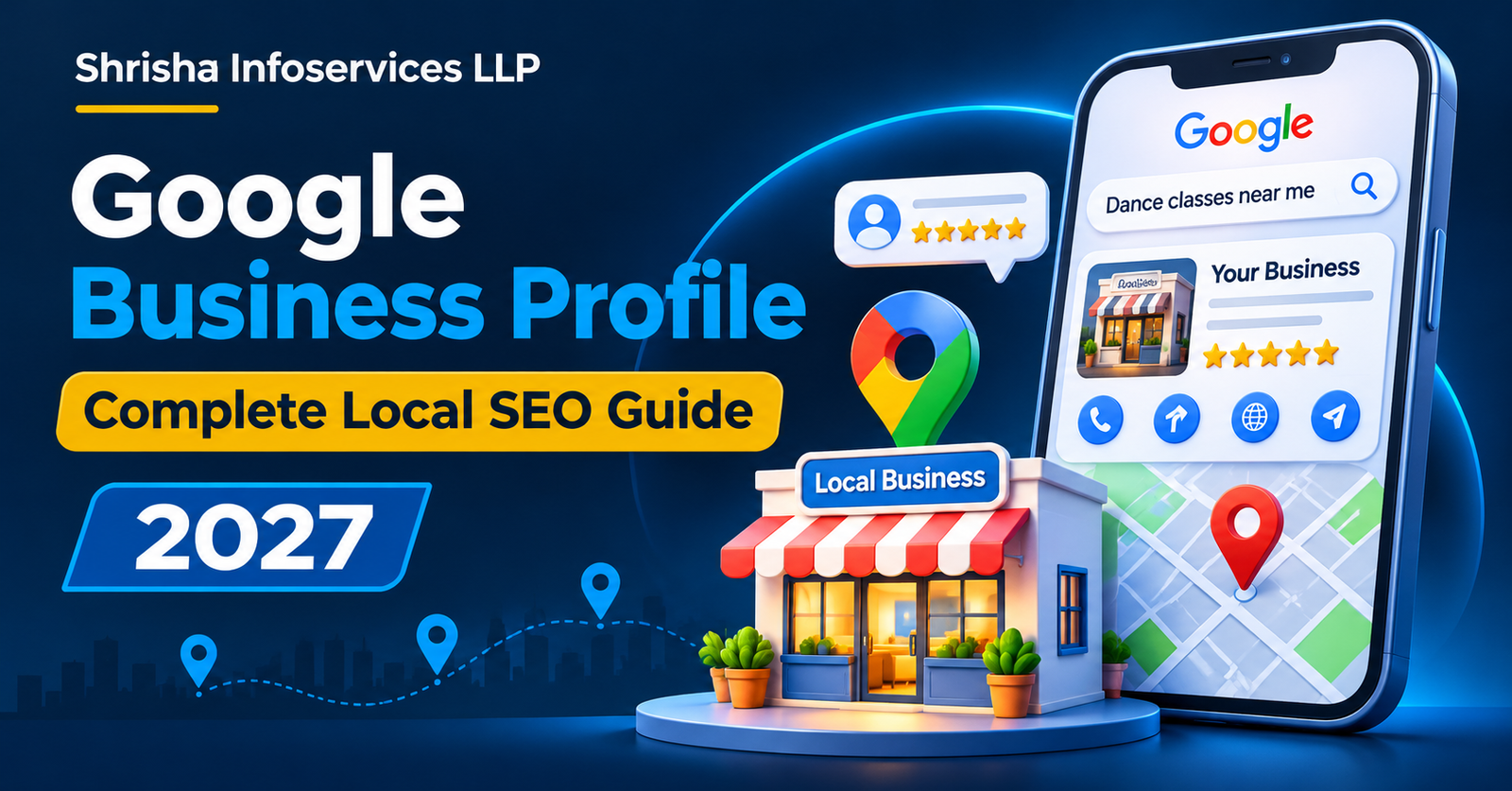
Imagine someone searching on Google for a dance academy near their home, a dentist in their city, a nearby beauty salon or a coaching institute for their child.
Before visiting a business, they may check its location, photographs, customer reviews, opening hours and contact details on Google.
But what if your business does not appear in those search results?
Even if you offer excellent products or services, potential customers may choose your competitors simply because they are easier to discover online.
This is where Google Business Profile and Local SEO become important.
Whether you operate a retail shop, coaching institute, restaurant, clinic, dance academy or local service business, Google Business Profile can help you build an online presence and connect with customers searching in your area.
Table of Contents
In this comprehensive guide, we will explain how small businesses in India can use Google Business Profile to improve local visibility, build customer trust and generate more enquiries in 2027.
What Is Google Business Profile?
Google Business Profile, formerly known as Google My Business (GMB), is a free tool that allows eligible businesses to manage their presence across Google Search and Google Maps. A Google Business Profile can display information such as:
- Business name
- Business address and location
- Contact number
- Website link
- Opening and closing hours
- Customer reviews and ratings
- Business photographs and videos
- Products and services
- Business updates and offers
- Directions to the business location
Available features may vary depending on your business category and location. For example, when someone searches for “dance classes near me” or “coaching institute in Ghaziabad”, Google may display relevant local businesses along with their locations, ratings and contact information. An accurate and well-maintained business profile can help your business appear in relevant searches and make it easier for potential customers to contact you.
Is Google Business Profile free?
Yes. Creating and managing a Google Business Profile is free. You do not need to pay Google a registration fee or monthly subscription to maintain your listing. However, businesses may choose to invest in professional profile management, Local SEO services or paid advertising to support their marketing objectives. Google Ads is a separate paid advertising platform.
Who can create a Google Business Profile?
Google Business Profile is particularly useful for businesses that interact with customers in person, either at their business location or at the customer’s location. Examples include:
- Schools and coaching institutes
- Dance and music academies
- Gyms and yoga studios
- Clinics and dental practices
- Restaurants and cafés
- Beauty salons and spas
- Retail shops
- Real estate offices
- Electricians and plumbers
- Interior designers
- Home repair service providers
Online-only businesses that do not have in-person contact with customers are generally not eligible.
What Is Local SEO?
Local Search Engine Optimization, commonly known as Local SEO, is the process of improving your business’s online visibility for location-specific searches. Unlike general SEO, which may target customers across India or internationally, Local SEO focuses on attracting customers from particular cities, neighbourhoods and service areas. For example:
| General search | Local search |
|---|---|
| Dance classes | Dance classes in Indirapuram |
| Dental clinic | Dentist near me |
| Coaching institute | Coaching institute in Varanasi |
| Yoga classes | Yoga classes in Noida |
| Interior designer | Interior designer in Lucknow |
| Website development company | Website development company in Ghaziabad |
People conducting local searches are often looking for businesses they can contact or visit. Local SEO helps your business become more discoverable at this important stage of the customer’s decision-making process. Google Business Profile is an important component of Local SEO, but it is not the only one. Your website, customer reviews, online directories and local business reputation also contribute to your overall digital presence.
Why Google Business Profile Is Important for Small Businesses in India
1. Increases local business visibility
Many customers begin their search for a local product or service on Google. A properly maintained Google Business Profile helps Google understand your business, offerings and location. This can improve your chances of appearing in relevant local search results.
2. Builds customer trust
Customers often want to know whether a business is genuine, active and reliable before contacting it. Authentic photographs, genuine customer reviews, accurate contact information and updated opening hours can help establish credibility. An incomplete profile with outdated information may create unnecessary doubts.
3. Makes it easier for customers to contact you
Customers can access your phone number, website and other available contact options directly through your profile. They can also get directions to your business location. This reduces the number of steps required to make an enquiry or visit your establishment.
4. Helps small businesses compete locally
A small business does not necessarily need a large advertising budget to establish a local online presence. A neighbourhood dance academy, independent dental clinic or local coaching centre can compete for relevant local searches by maintaining accurate information, developing a positive reputation and investing in Local SEO.
5. Supports marketing without a large advertising budget
Organic local visibility does not require businesses to pay for every click. Although Local SEO requires regular effort and may involve professional service costs, it can complement paid advertising and reduce overdependence on it.
6. Helps convert online searches into offline customers
Consider a parent searching for dance classes for their child. After discovering an academy on Google Maps, the parent may:
- Check the academy’s ratings.
- View photographs of the dance studio.
- Visit its website to understand available courses.
- Call to enquire about batch timings.
- Visit the academy for a trial class.
This illustrates how Google Business Profile can connect online discovery with an actual business opportunity.
Google Business Profile vs Business Website: Do You Need Both?
Many small business owners assume that having a Google Business Profile eliminates the need for a professional website. However, both serve different purposes.
| Google Business Profile | Business Website |
|---|---|
| Helps customers discover your business locally | Provides detailed business information |
| Displays customer ratings and reviews | Showcases your expertise and portfolio |
| Provides directions and contact details | Supports enquiry forms and lead generation |
| Offers standardised business information | Provides customised design and branding |
| Is subject to Google’s platform policies | Gives greater control over your digital content |
| Focuses on local business discovery | Can support local, national and international marketing |
Your Google Business Profile helps customers find you, while your website helps them understand why they should choose you. For example, a coaching institute can use Google Business Profile to display its location and contact details. Its website can provide detailed course information, faculty profiles, admission procedures, batch schedules and enquiry forms. Instead of choosing between the two, businesses should use them together as part of an integrated digital marketing strategy.
A Google Business Profile attracts attention. A professional website helps turn that attention into business enquiries.
How to Create a Google Business Profile
Setting up a Google Business Profile is straightforward, provided your business meets Google’s eligibility requirements.
Step 1: Visit Google Business Profile
Visit the official Google Business Profile website: https://business.google.com
Sign in using a Google account controlled by your business. Avoid using an employee’s personal Google account as the sole owner of your profile.
Step 2: Search for your existing business
Before creating a new listing, search for your business on Google Search and Google Maps. Your business may already have a listing created from available information or community contributions. If a listing exists, claim it or request ownership rather than creating a duplicate.
Step 3: Enter your business name
Use your actual business name as it appears on your signage, website, stationery and branding. Do not add unnecessary keywords, city names or promotional statements to manipulate rankings.
Step 4: Select your business category
Choose the category that most accurately describes your main business activity. For example, a dance academy should select an appropriate dance school category rather than an unrelated category simply because it appears popular.
Step 5: Add your business location or service area
If customers visit your physical location, provide an accurate business address and confirm the map pin. If you visit customers at their locations and do not receive customers at your own address, configure your profile as a service-area business and hide your address. Businesses that serve customers both at their premises and at customers’ locations may be eligible for a hybrid profile.
Step 6: Add your contact information
Provide your official business phone number and website address, if available. Ensure the contact number is active and regularly monitored.
Step 7: Verify your business
Google requires businesses to verify their association with the business. Depending on eligibility, verification options may include:
- Video recording
- Live video call
- Phone or text message
- Postcard or mail
Google determines which verification methods are available for your business. Follow the instructions displayed during the verification process. You may need to demonstrate your business location, equipment, signage or authority to manage the business.
Step 8: Complete your business profile
After completing the required setup and verification, add relevant business information, photographs, services and other available details. Creating your profile is only the beginning. Regular optimization and maintenance are necessary to make it useful for customers.
How to Optimise Google Business Profile for Better Local Visibility
Creating a listing does not automatically guarantee strong Google Maps rankings. The following strategies can help you build a more useful and competitive local business profile.
1. Use your correct business name
Always use the genuine name of your business. For example, consider a fictional dance academy:
Incorrect: Rhythm Dance Academy – Best Dance Classes in Ghaziabad – No. 1 Dance School Near Me
Correct: Rhythm Dance Academy
Unless those additional words form part of the genuine business name, adding them may violate Google’s guidelines.
2. Choose relevant business categories
Your primary category should represent your main business activity. Add secondary categories only when they describe services or activities that your business genuinely provides. Avoid selecting unrelated categories to target additional keywords.
3. Write a professional business description
Your business description should explain what you offer, whom you serve and what makes your business distinctive. Use relevant keywords naturally without repeating them unnecessarily. Google allows a business description of up to 750 characters.
Sample business description:
Rhythm Dance Academy is a dance training institute in Indirapuram, Ghaziabad, offering Bollywood, contemporary, hip-hop and freestyle dance classes for children and adults. Our programmes are designed for beginners and experienced learners who want to develop their dancing skills in a structured and supportive environment. We offer group classes and practice sessions for different age groups.
This is an illustrative example. Businesses should include only information that accurately represents their services.
4. Maintain consistent business information
Your business name, address and phone number are commonly referred to as NAP information. Ensure these details remain accurate across:
- Google Business Profile
- Your official website
- Facebook and Instagram business pages
- Relevant business directories
- Other online business listings
Inconsistent information can confuse customers and make your business more difficult to verify online.
5. Upload high-quality business photographs
Genuine photographs help customers understand what to expect before visiting your business. Depending on your business type, consider adding photographs of:
- Business premises and entrance
- Reception or waiting area
- Products and services
- Team members
- Workspaces
- Completed projects
- Classrooms or training facilities
- Business signage
A dance academy can showcase its studio and training facilities, while a restaurant can display its dining area and food. Use genuine images and obtain appropriate permission before publishing identifiable customer photographs, particularly those involving children.
6. Add detailed products and services
Where these features are available, list the products or services your business offers. A dance academy might include:
- Bollywood dance classes
- Hip-hop dance classes
- Children’s dance classes
- Wedding choreography
- Adult dance classes
- Private dance training
Clear descriptions help customers understand your offerings and determine whether your business meets their requirements.
7. Keep business hours updated
Incorrect opening hours can lead to disappointed customers and missed business opportunities. Update your business hours during festivals, public holidays, seasonal breaks and other temporary changes. This is particularly relevant for Indian businesses during Diwali, Holi and other regional festivals.
8. Publish relevant business updates
Use Google Business Profile posts, where available, to communicate useful developments. Examples include:
- New course admissions
- Product launches
- Upcoming workshops
- Seasonal offers
- Business announcements
- Special events
Regular updates can make your profile more informative and engaging. However, posting frequently does not guarantee higher rankings.
9. Add a relevant website link
Your website link should direct visitors to a useful page that accurately represents your business. For a business with one location, the homepage may be appropriate. For a business with multiple branches, a dedicated location page may provide a better customer experience. Ensure the linked page loads quickly, works on mobile devices and makes it easy to contact your business.
How Does Google Determine Local Search Rankings?
Understanding Google’s local ranking factors helps businesses focus on meaningful improvements rather than unreliable shortcuts. Google identifies three primary factors for local search rankings.
1. Relevance
Relevance refers to how closely your business matches what a potential customer is searching for. A person searching for children’s dance classes is more likely to find useful results from businesses offering relevant dance training than unrelated fitness centres. Accurate categories, service information and website content help communicate your business’s relevance.
2. Distance
Distance refers to the geographical proximity of a business to the location associated with a search. For example, someone searching for a beauty salon from Indirapuram may receive different results from someone conducting the same search in Raj Nagar. Businesses cannot directly control the customer’s location. Creating fake business locations to target additional areas is not an appropriate solution.
3. Prominence
Prominence relates to how established and well-known a business is. Google considers information such as online links, customer reviews and ratings when assessing aspects of a business’s reputation. Building genuine customer relationships and a credible digital presence can support this factor over time. Google does not offer businesses the option to purchase better organic local rankings. For further information, refer to Google’s official local ranking guide: https://support.google.com/business/answer/7091
How to Get More Genuine Google Reviews
Customer reviews play an important role in purchasing decisions. A business with detailed, genuine reviews can help potential customers feel more confident about contacting it.
Ask customers for honest feedback
After successfully delivering a product or service, politely request feedback from your customers. You can share your Google review link through WhatsApp, email, invoices or a QR code displayed at your premises.
Sample WhatsApp review request:
Thank you for choosing our services. We hope you had a positive experience with us. We would appreciate your honest feedback on Google, as it helps us improve our services and assists other customers in making informed decisions.
[Google Review Link]
Respond to positive reviews
Acknowledge customers who take the time to share their experiences.
For example:
Thank you for sharing your feedback. We appreciate your support and are pleased that you had a positive experience with our services.
Respond professionally to negative reviews
Negative feedback should be handled calmly and professionally. Acknowledge the concern, avoid public arguments and offer an appropriate way to resolve the issue.
For example:
Thank you for bringing this matter to our attention. We are sorry to hear that your experience did not meet your expectations. Please contact our team directly so that we can understand your concerns and work towards a suitable resolution.
Never disclose a customer’s private information in a public response.
Avoid unethical review practices
Businesses should never:
- Purchase fake reviews.
- Offer discounts or rewards in exchange for reviews.
- Ask only satisfied customers to leave reviews while discouraging others.
- Create fake accounts to review their own business.
- Post fraudulent reviews against competitors.
Such practices can damage customer trust and lead to restrictions under Google’s policies.
Local SEO Strategies Beyond Google Business Profile
Google Business Profile works best when supported by a broader Local SEO strategy.
1. Optimise your website for local keywords
Identify relevant search terms that potential customers use to discover businesses in your area. For example, a coaching institute in Varanasi might target phrases such as:
- Coaching institute in Varanasi
- Mathematics tuition in Varanasi
- Class 12 coaching in Varanasi
- School tuition classes near me
Incorporate appropriate keywords naturally into your website headings, page titles, descriptions and content.
2. Create dedicated service and location pages
If your business offers multiple services, consider developing separate pages that explain each major service. Businesses serving multiple locations may also benefit from useful, distinct location pages. Avoid creating dozens of nearly identical pages where only the city name changes. Every page should provide genuine value to potential customers.
3. Improve website mobile experience
Local customers frequently access business information through smartphones. Your website should offer:
- Responsive design
- Fast-loading pages
- Readable content
- Click-to-call functionality
- Simple enquiry forms
- Convenient WhatsApp contact options
- Clear location information
A poor mobile experience can cause you to lose potential customers even when your Google Business Profile generates website visits.
4. Display accurate location information on your website
Include your contact information, business hours and directions on your website. An embedded Google Map can also help visitors locate your premises. However, simply embedding a map does not guarantee improved Google rankings.
5. Build reputable local business listings
List your business on relevant and trustworthy online directories. Depending on your industry, these may include Justdial, professional associations, local business directories and chambers of commerce. Focus on accuracy and relevance rather than submitting your website to hundreds of low-quality directories.
6. Publish locally relevant content
Create website content that addresses the needs of customers in your target area. For example:
- A dance academy could publish a guide to choosing dance classes for children in Ghaziabad.
- A coaching institute could explain how students in Varanasi can prepare for board examinations.
- An interior designer could discuss space-saving interior design ideas for apartments in Noida.
This type of content can support organic discoverability while demonstrating your expertise.
7. Implement appropriate structured data
Your website developer can implement relevant Local Business structured data to help search engines interpret information about your business. The information should accurately reflect your business details. Structured data helps search engines understand content but does not guarantee special search appearances or higher rankings.
Common Google Business Profile Mistakes to Avoid
Many businesses create a profile but fail to maintain it properly. Some common mistakes include:
| Mistake | Recommended solution |
|---|---|
| Adding keywords to the business name | Use the genuine business name |
| Selecting incorrect categories | Choose relevant business categories |
| Providing outdated contact information | Review and update details regularly |
| Creating duplicate listings | Manage one profile per eligible business location |
| Using fake business addresses | Provide genuine location or service-area information |
| Purchasing customer reviews | Collect authentic customer feedback |
| Ignoring negative reviews | Respond professionally |
| Uploading misleading photographs | Use genuine business images |
| Ignoring holiday opening hours | Update special business hours |
| Neglecting your business website | Maintain a professional, mobile-friendly website |
| Expecting immediate rankings | Invest in consistent, long-term optimisation |
Before making major changes to your business profile, review Google’s official business representation guidelines: https://support.google.com/business/answer/3038177
How to Measure Google Business Profile Performance
Improving visibility is important, but business owners should also understand whether their online presence generates meaningful results. Google Business Profile provides performance information for eligible verified profiles. Depending on your business and available features, you may be able to track:
| Metric | What it helps you understand |
|---|---|
| Profile views | How many people viewed your profile |
| Search terms | Searches through which customers discovered your business |
| Phone call clicks | Interest in contacting your business |
| Website clicks | Traffic directed towards your website |
| Direction requests | Interest in visiting your business |
| Reviews and ratings | Customer feedback and business reputation |
| Actual enquiries | Business opportunities generated |
| Sales or admissions | Commercial outcomes |
Remember that a phone call click does not necessarily mean a completed call, and a direction request does not confirm that a customer visited your premises. To evaluate actual business results, maintain your own enquiry records and ask new customers how they discovered your business. You can also use Google Analytics and properly configured website link tracking to understand website traffic originating from your Business Profile. For example, if a profile directs 100 visitors to your website and five of those visitors submit genuine enquiries, your website lead conversion rate from those visits would be 5%. This is a hypothetical example, not an industry benchmark. Regularly tracking these measurements helps you identify what is working and where improvements are required.
30-Day Google Business Profile and Local SEO Action Plan
Small business owners do not need to complete every optimization task in one day. Start with the following practical action plan.
Week 1: Setup and verification
- Create or claim your Google Business Profile.
- Complete the required verification process.
- Check your business name, address and phone number.
- Select appropriate business categories.
- Update business hours.
- Add your website link.
Week 2: Profile optimisation
- Write a professional business description.
- Add relevant services and products where available.
- Upload genuine business photographs.
- Check your map location.
- Create a Google review link.
- Publish a relevant business update where supported.
Week 3: Website and reputation improvement
- Request honest feedback from existing customers.
- Respond to existing reviews.
- Check your website’s mobile experience.
- Improve relevant service pages.
- Correct inconsistent directory listings.
- Publish useful, locally relevant website content.
Week 4: Performance monitoring
- Review available Google Business Profile performance data.
- Track calls, website visits and genuine enquiries.
- Identify missing or outdated information.
- Compare performance with your initial records.
- Prepare an ongoing monthly optimisation plan.
Verification may take longer than expected, so adjust the schedule if necessary. The purpose of the first 30 days is to establish a strong foundation rather than guarantee a specific ranking position.
How Much Does Local SEO Cost in India?
Creating a Google Business Profile is free, but professional Local SEO services may involve additional costs. The cost depends on several factors, including:
- Number of business locations
- Competition in your target area
- Existing website quality
- Amount of optimisation required
- Content development requirements
- Local directory management
- Review management requirements
- Reporting and ongoing maintenance
A single-location coaching institute may require a different marketing strategy from a hospital or retail chain operating across multiple cities. Rather than selecting an SEO package solely on price, evaluate the scope of work, transparency, reporting process and long-term suitability. Avoid agencies that promise guaranteed first-position rankings on Google Maps. No professional marketing agency can legitimately guarantee a particular organic ranking for every customer and search location.
How Shrisha Infoservices Can Help Your Business Grow Locally
Managing Google Business Profile, maintaining a professional website and implementing Local SEO can become challenging when you are already responsible for running a business. At Shrisha Infoservices LLP, we help Indian businesses establish and strengthen their digital presence through professional website development and digital marketing solutions.
Our services include:
- Website Design and Development
- Search Engine Optimization
- E-Commerce Development
- Google Ads and PPC
- Social Media Marketing
- Website Hosting and Maintenance
By combining a professional website with a well-planned Local SEO strategy, businesses can work towards better online discoverability, stronger credibility and more relevant customer enquiries. Whether you manage a coaching institute, dance academy, retail store, professional practice or local service business, we can help you develop a digital marketing strategy suited to your business requirements.
Visit https://shrishainfoservices.com/ to discuss your website and digital marketing requirements.
Frequently Asked Questions
Yes. Eligible businesses can create and manage a Google Business Profile without paying Google a registration or subscription fee.
Yes. Eligible businesses can create a profile without having a website. However, a professional website helps provide more detailed information, establish credibility and support lead generation.
There is no fixed timeline. Results depend on your business location, competition, relevance, reputation and ongoing optimisation efforts. Verification alone does not guarantee immediate visibility for competitive searches.
Yes. Business owners can update information, upload photographs, respond to reviews and manage many profile features themselves. Professional SEO assistance may be helpful when competition is high or when the business requires a comprehensive local marketing strategy.
Genuine reviews and positive ratings can contribute to local prominence. They also help potential customers evaluate your business. However, reviews are only one part of Google’s local ranking system.
Yes, if your business meets Google’s eligibility requirements and genuinely interacts with customers in person. If you visit customers but do not receive them at your home, you should generally hide your residential address and configure a service-area profile. Online-only businesses are generally not eligible.
Possible reasons include incomplete verification, incorrect business information, policy restrictions, duplicate listings, high local competition or limited relevance to the search. Begin by checking your profile status and reviewing your business information.
Update your profile whenever important business information changes. As a practical routine, review your profile weekly and assess its performance monthly. There is no universal posting frequency that guarantees better rankings.
Google does not accept payment for improved organic local rankings. Paid advertising opportunities may be available through Google Ads, but advertising placements are separate from organic local search rankings.
Businesses with multiple genuine, independently eligible locations may create separate profiles for those locations. Creating duplicate listings for the same business location or using fake addresses is not recommended and may violate Google’s policies.
No. While it is an important component, effective Local SEO also involves website optimization, genuine customer reviews, consistent business information and a credible online reputation.
Conclusion
In 2027, building a strong local digital presence should be an important part of the marketing strategy for Indian small businesses. Google Business Profile offers eligible businesses an accessible way to become more discoverable on Google Search and Maps, communicate useful information and connect with potential customers. However, simply creating a profile is not enough. Businesses must maintain accurate information, encourage genuine customer reviews, improve their websites and consistently deliver positive customer experiences. The most effective approach is to combine Google Business Profile, professional website development and Local SEO into a coordinated digital marketing strategy.
Start by reviewing your Google Business Profile today. Identify missing information, update your photographs, respond to customer reviews and make it easier for potential customers to contact you.
Your next customer could already be searching for a business like yours. Make sure your business is ready to be discovered.
Need professional help with your website and local digital marketing strategy? Connect with Shrisha Infoservices LLP and take the next step towards building a stronger online presence.